What Is Twitch Livestreaming? A Beginner’s Guide to Streaming Online
Livestreaming has become one of the biggest ways people create content online, and Twitch is one of the most popular platforms for it. Millions of people watch livestreams every day to enjoy gaming, entertainment, music, and real-time conversations with creators around the world. In this guide, you will learn what Twitch livestreaming is, how it works, and how beginners can start streaming online.
My post content
What Is Twitch?
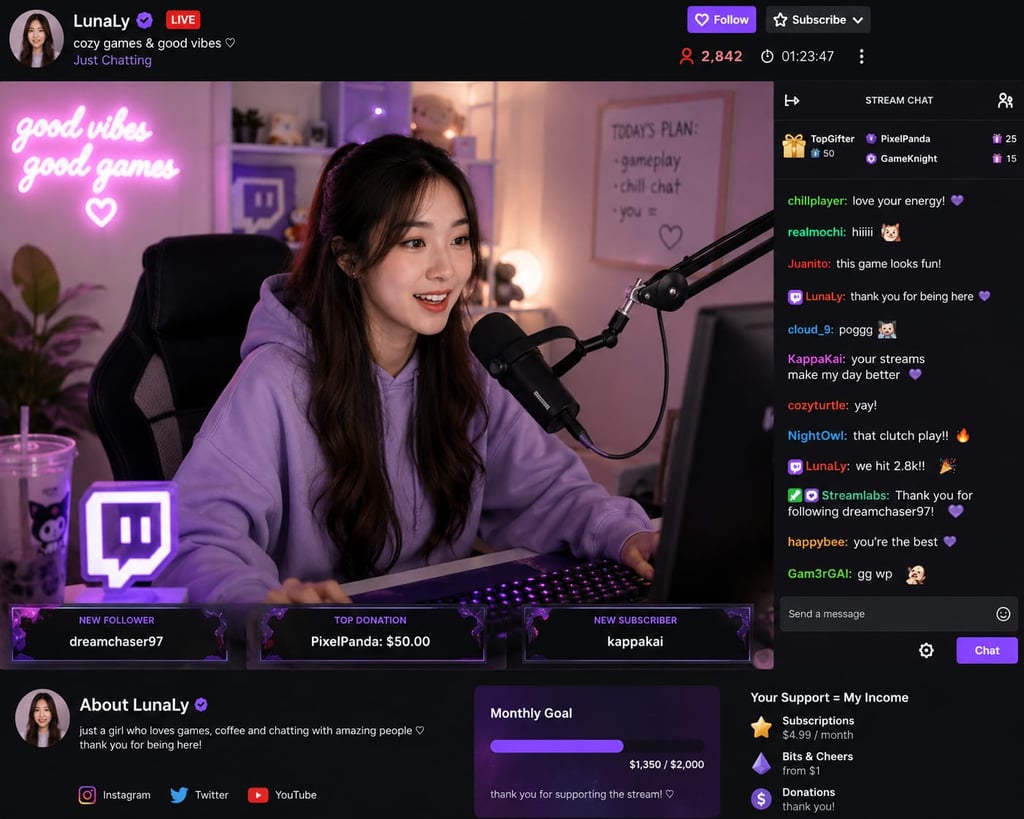
Twitch is a livestreaming platform where creators broadcast live video content to viewers in real time. The platform originally became famous for gaming streams, but today people use Twitch for many types of content including:
Gaming
Music performances
Podcasts
Tutorials
Fitness sessions
Art and drawing
“Just Chatting” livestreams
Viewers can watch live broadcasts, chat with streamers, and support creators through subscriptions and donations.
You can visit the platform here: Twitch Official Website
How Does Twitch Livestreaming Work?
A livestream is a live video broadcast sent over the internet. When a streamer goes live, viewers can instantly watch and interact through live chat.
The streamer usually uses:
A computer or smartphone
A microphone
A webcam
Streaming software
Internet connection
The content is broadcast live to followers and viewers around the world.
What Do People Stream on Twitch?
There are many popular content categories on Twitch, including:
Gaming
Gaming is still the biggest category on Twitch. Streamers play games while talking to viewers and entertaining their audience.
Just Chatting
This category allows creators to talk directly with viewers about daily life, trends, news, or personal experiences.
Music and Podcasts
Musicians and podcasters use Twitch to perform live, host interviews, and interact with fans.
Tutorials and Education
Some creators teach coding, graphic design, languages, fitness, and other skills through livestreams.
How to Start Streaming on Twitch
Starting a Twitch livestream is easier than many beginners think.
Step 1: Create a Twitch Account
Sign up for a free account on Twitch.
Step 2: Get Streaming Software
Many beginners use:
OBS Studio
Streamlabs Desktop
These programs help capture your screen, webcam, and microphone during the livestream.
Step 3: Set Up Your Equipment
Basic equipment includes:
A microphone
Headphones
Webcam (optional)
Stable internet connection
Step 4: Choose Your Content
Pick a topic or niche you enjoy. Consistency and personality are important for growing an audience.
Step 5: Go Live
After setting up your software, press the “Start Streaming” button and begin your livestream.
Can You Make Money on Twitch?
Yes. Many streamers earn money on Twitch through:
Subscriptions
Donations
Advertisements
Sponsorships
Affiliate marketing
However, building an audience takes time, consistency, and quality content.
Tips for Growing on Twitch
Here are a few beginner tips:
Stream regularly
Talk to your viewers often
Use a good microphone
Promote your streams on social media
Play games or create content you truly enjoy
Stay patient and consistent
Final Thoughts
Twitch livestreaming is a great way to share your skills, entertain people, and even build an online income stream. Whether you enjoy gaming, chatting, music, or teaching, Twitch gives creators a platform to connect with audiences in real time.
With the right setup, consistency, and creativity, anyone can start livestreaming and grow their online presence.
follow powerzone.space for more ways to make money online
Insights
Empowering your online money making strategies.
Connect
Explore
Privacy policy terms and sidemap